
Google My Business Optimization – Complete Guide (2026)
Learn how to optimize your Google My Business profile in 2026 to rank higher on Google. Step-by-step guide to boost local SEO, get more leads, calls & customers in Pune.
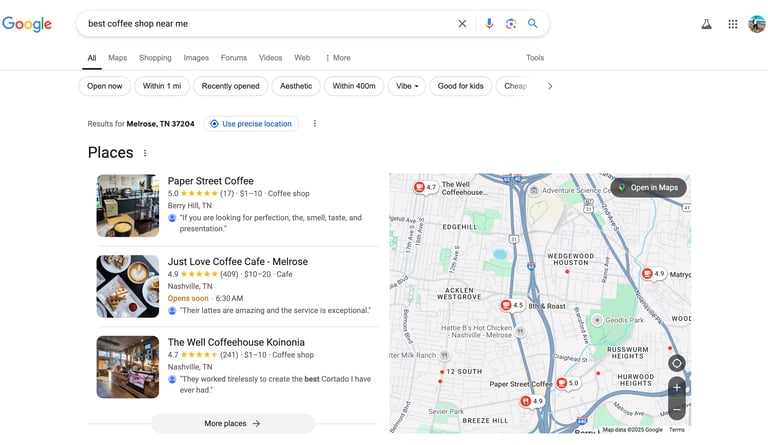
If you are a business owner and want to attract more local customers, optimizing your Google My Business profile is one of the most powerful strategies. Today, when people search for services on Google, they usually click on businesses that appear in the top results or Google Maps.
This is where Google My Business (now called Google Business Profile) plays a crucial role.
In this complete guide, you will learn how to optimize your profile step by step and improve your local ranking to get more calls, website visits, and customers.
What is Google My Business?
Google My Business (GMB), officially known as Google Business Profile, is a free tool by Google that allows businesses to appear in local search results and Google Maps.
When someone searches:
“website designer near me”
“SEO services in Pune”
Your business can appear with:
Name
Reviews
Location
Contact details
Website link
Why Google My Business Optimization is Important
Optimizing your profile helps you:
✔ Rank higher in local search
✔ Get more phone calls
✔ Increase website traffic
✔ Build trust through reviews
✔ Attract nearby customers
In short: More visibility = More leads = More sales
Step-by-Step Google My Business Optimization
1. Claim and Verify Your Business
First, claim your business listing and complete the verification process.
Without verification, your business won’t appear properly in search results.
2. Use Accurate Business Information
Make sure your details are consistent:
Business Name
Address
Phone Number
Website
This is called NAP consistency and is very important for SEO.
3. Choose the Right Business Category
Selecting the correct category helps Google understand your business.
Example:
Website Designer
Digital Marketing Agency
SEO Service Provider
4. Write a Keyword-Rich Business Description
Add relevant keywords naturally like:
Website design services in Pune
SEO expert in Pune
Do not stuff keywords — keep it natural and readable.
5. Add High-Quality Photos
Upload:
Office images
Work samples
Team photos
Before/after results
Businesses with photos get more engagement.
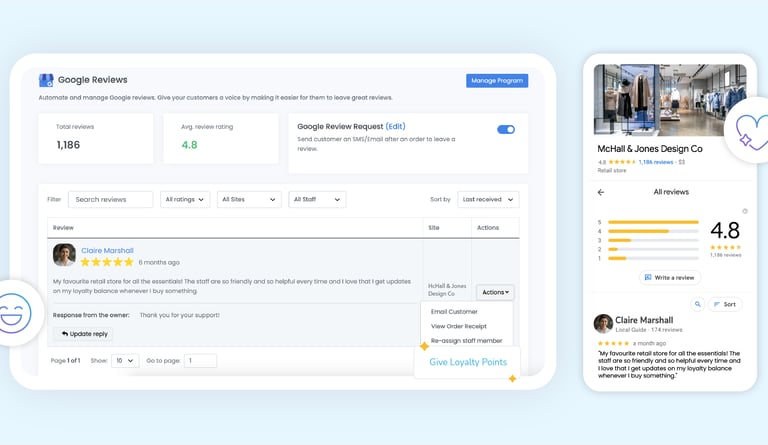
6. Collect Customer Reviews
Reviews are one of the biggest ranking factors.
Ask satisfied clients to leave reviews regularly.
Pro Tip: Reply to every review (positive & negative)
7. Add Services and Products
Clearly list your services:
Website Design
SEO Services
Google Ads
This improves visibility for specific searches.
8. Post Regular Updates
Use GMB posts to share:
Offers
Blog links
Updates
This keeps your profile active and improves ranking.
9. Optimize for Local SEO
Use local keywords like:
“Salon in Pune”
“Car Repair and Service near me”
This helps you appear in Google Maps results.
10. Enable Messaging and Calls
Make it easy for customers to contact you:
Enable chat
Add call button
Faster response = more conversions
Common Mistakes to Avoid
❌ Incomplete profile
❌ Wrong business category
❌ No reviews
❌ Keyword stuffing
❌ Ignoring updates
How Long Does It Take to See Results?
1–2 weeks → Profile visibility improves
1–2 months → Ranking starts improving
3+ months → Strong local presence
Consistency is key.
Google My Business optimization is one of the easiest and most effective ways to grow your business locally. With the right strategy, you can rank higher on Google and attract more customers without spending on ads.
Need Help with Google My Business Optimization?
If you want to rank your business on Google and get more leads, we can help you.
Tickletime Business Growth provides:
Website Design
SEO Services
Google My Business Optimization
📞 Contact us today for a FREE consultation and grow your business online
Get in touch
Share with visitors how they can contact you and encourage them to ask any questions they may have.
mamta.rangi@tickletime.in